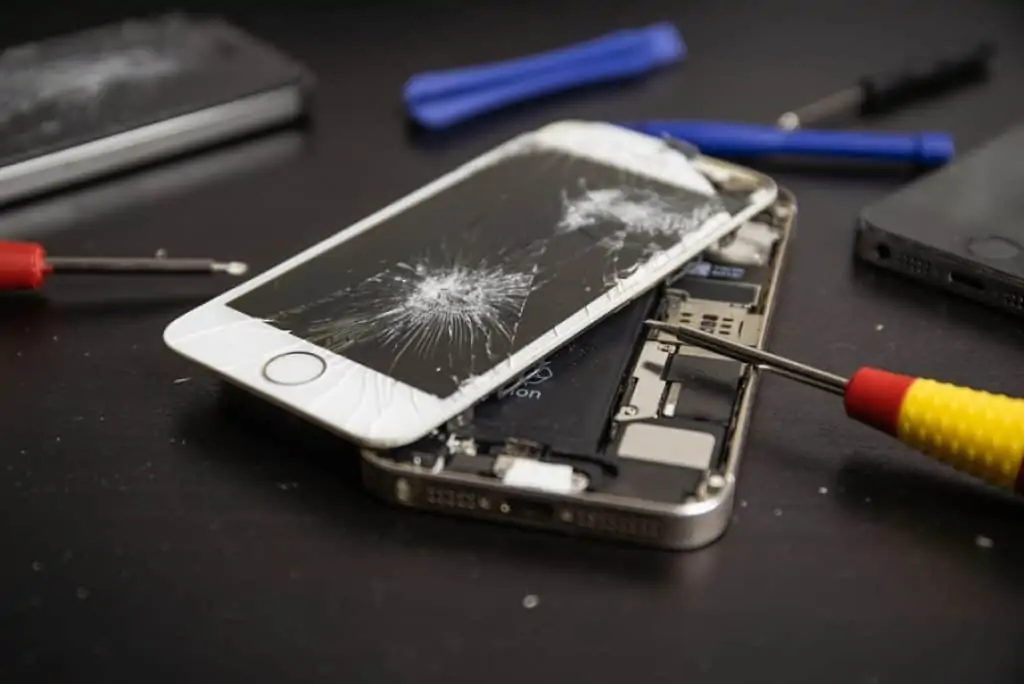
Repairing All Types of Devices

🛠️ Repairing All Types of Devices – Mobile Solutions

Repairing All Types of Devices is what Mobile Solutions does best. From everyday smartphones to specialised electronics, Mobile Solutions is your trusted expert for fast, reliable, and affordable device repairs. Whether your phone, laptop, tablet, drone, or car key is damaged or not working correctly, our experienced technicians are ready to help.


📍 Why Choose Mobile Solutions for Repairing All Types of Devices?

At Mobile Solutions, we specialise in fixing a wide range of electronic devices using professional tools, high-quality replacement parts, and proven repair techniques. From common faults to complex electronic issues, your devices are in expert hands.

We pride ourselves on:

  • ✅ Fast turnaround times

  • ✅ Professional and experienced technicians

  • ✅ Transparent pricing with no hidden costs

  • ✅ Reliable, high-quality repairs

We also support sustainable and responsible repairs in line with the global Right to Repair movement:
👉 https://www.repair.org


💻 Devices We Repair – Phones, Laptops, and More

We work on a wide range of electronics, including:

  • Mobile phones: iPhone, Samsung, Huawei, and more

  • Tablets: iPads, Android tablets, hybrid devices

  • Laptops: Windows laptops, MacBooks, Chromebooks

  • Game consoles: PlayStation, Xbox, Nintendo Switch

  • Drones: Camera drones, hobby drones, professional drones

  • Car keys & remotes: Replacement, programming, and repairs

  • Scanners & electronics: Barcode scanners and portable devices

We Specialise in Repairing Multiple Types of Devices

Each device is carefully repaired by skilled technicians and thoroughly tested before being returned to you.


📡 Our Professional Device Repair Process

Our repair process is designed to be simple, efficient, and reliable:

  1. Diagnostic check – We quickly identify the issue

  2. Transparent quote – You know the cost before we begin

  3. Repair with care – Expert handling of every device

  4. Quality assurance – Full testing after repair

  5. Fast turnaround – Most repairs completed same day or within 48 hours

We follow best practices recommended by trusted technology providers such as Apple and Google:
👉 https://support.apple.com
👉 https://support.google.com/android


🛍️ Visit Mobile Solutions for Expert Device Repairs

If your device isn’t working as it should, don’t wait. Mobile Solutions provides dependable repair services that help you stay connected, productive, and entertained.

👉 Book a repair through our Contact Page
👉 Visit our Blog for expert tips on maintaining your devices

We proudly serve customers across the region with professional and reliable service.


✅ Quick Tips to Protect Your Devices

At Mobile Solutions, our goal is to extend the life of your devices while saving you time and money.

Bad signal in Great Yarmouth

Bad signal in Great Yarmouth

📶 No Signal in Great Yarmouth: Causes, Coverage Issues & How to Fix Them


Great Yarmouth city centre – areas where mobile signal can be weak

📍 Why Is Mobile Phone Signal Poor in Great Yarmouth?

No signal in Great Yarmouth is a common frustration for residents, visitors, and workers.
Whether you are experiencing dropped calls, slow mobile data, or poor indoor reception, network congestion, older handsets, and the UK 3G switch-off can all contribute to poor signal.

Learn more about improving reception on our tips to improve mobile signal page or see our phone repair services page.

In busy areas such as the seafront, shopping districts, and transport hubs, mobile signal can drop due to high demand on local masts, especially during peak tourist season.

📡 4G and 5G Mobile Coverage in Great Yarmouth

Most areas of Great Yarmouth have strong 4G coverage from major UK networks including EE, O2, Vodafone, and Three.
5G coverage is expanding across key areas of the town, offering faster speeds and more reliable connections for compatible devices.

To check mobile signal strength at your postcode, use the Ofcom Mobile Coverage Checker.

📴 The UK 3G Switch-Off and No Signal Problems

The UK 3G switch-off has affected phones in Great Yarmouth. Devices relying solely on 3G may now experience dropped calls, slow data speeds, or no mobile service without Wi-Fi.

📱 Is Your Phone Affected by the 3G Switch-Off?

If your handset is several years old, it may not fully support 4G calling or 5G data.
More information about the switch-off is available in the Ofcom 3G switch-off guide.

🛍️ Fixing No Signal in Great Yarmouth with a New Handset


Mobile Solutions – Market Gates, Great Yarmouth

📍 Mobile Solutions Great Yarmouth – Market Gates

If you are experiencing no signal in Great Yarmouth due to an outdated handset, Mobile Solutions in Market Gates, Great Yarmouth can help.
They stock a wide range of new and refurbished 4G and 5G smartphones designed to work with modern mobile networks.

For phone repairs or upgrades, see our phone repair and upgrade services page. Mobile Solutions also offers battery replacements and accessories, helping improve signal reliability and phone performance.

🧠 How to Improve Mobile Phone Signal in Great Yarmouth

To reduce no signal issues, ensure your phone supports 4G calling, keep software up to date, and choose the network with the strongest coverage. Upgrading your handset is often the quickest and most effective solution.

✅ Quick Tips to Boost Mobile Signal

  • Move closer to a window if indoors — walls can block 4G/5G signals.

  • Restart your phone to reconnect to the nearest mast.

  • Switch network modes to 4G or 5G if your phone is stuck on 3G.

  • Remove phone cases that may interfere with signal.

  • Upgrade your handset at Mobile Solutions Market Gates to a modern 4G/5G phone.

  • Check carrier coverage maps on Ofcom to see which network works best in your area.

  • Use Wi-Fi calling where possible if mobile signal is poor.

No Signal In Norwich

Bad signal in Norwich

📶 Bad Signal in Norwich: Causes, Coverage Issues & How to Fix Them

Castle Quarter Norwich city centre mobile coverage
Castle Quarter, Norwich – a central location for mobile phone services

📍 Why Is Mobile Phone Signal Bad in Norwich?

Bad signal in Norwich is a common frustration for residents, workers, and visitors across the city.
Whether you are experiencing dropped calls, slow mobile data, or poor indoor reception, changes to mobile networks, older handsets, and the UK 3G switch-off can all play a role in reduced signal quality.

Learn more about improving reception on our tips to improve mobile signal in Norwich page or see our phone repair services page.

In busy areas such as the city centre, shopping districts, and transport hubs, mobile signal can sometimes drop due to high demand on local masts, especially during peak hours.

📡 4G and 5G Mobile Coverage in Norwich

Most areas of Norwich have strong 4G coverage from major UK networks including EE, O2, Vodafone, and Three.
5G coverage is expanding across the city centre and surrounding areas, offering faster speeds and more reliable connections for compatible devices.

To check mobile signal strength at your postcode, use the Ofcom Mobile Coverage Checker.

📴 The UK 3G Switch-Off and Bad Signal Problems

The UK 3G switch-off has now taken place, including in Norwich. Phones that rely on 3G technology may now experience dropped calls, slow data speeds, or complete loss of mobile service when not connected to Wi-Fi.

📱 Is Your Phone Affected by the 3G Switch-Off?

If your handset is several years old, it may not fully support 4G calling or 5G data.
More information about the switch-off is available in the Ofcom 3G switch-off guide.

🛍️ Fixing Bad Signal in Norwich with a New Handset


Mobile Solutions – mobile phone specialists in Castle Quarter, Norwich

📍 Mobile Solutions Norwich – Castle Quarter

If you are experiencing bad signal in Norwich due to an outdated handset, Mobile Solutions in Castle Quarter Norwich can help.
They stock a wide range of new and refurbished 4G and 5G smartphones designed to work with modern mobile networks.

For phone repairs or upgrades, see our phone repair and upgrade services page.

Mobile Solutions also offers phone repairs, battery replacements, and accessories, helping improve performance and signal reliability.

🧠 How to Improve Mobile Phone Signal in Norwich

To reduce bad signal issues in Norwich, ensure your phone supports 4G calling, keep software up to date, and choose the network with the strongest coverage in your area. Upgrading your handset is often the quickest and most effective solution.

✅ Quick Tips to Boost Mobile Signal

  • Move closer to a window if indoors — walls can block 4G/5G signals.

  • Restart your phone to reconnect to the nearest mast.

  • Switch network modes: check if your phone supports 4G/5G instead of 3G.

  • Remove phone cases that may interfere with signal.

  • Upgrade your handset at Mobile Solutions to a modern 4G/5G phone.

  • Check carrier coverage maps on Ofcom to see which network works best in your area.

  • Use Wi-Fi calling where possible if mobile signal is poor.

Read more on our blog page for additional advice and tips, and check our mobile signal improvement guide for detailed solutions.

Pre-Owned Smartphone

Decoding Mobile Signal in Norwich: Your Guide to Coverage and Connectivity

Decoding Mobile Signal in Norwich: Your Guide to Coverage and Connectivity

Ever found yourself in a mobile signal black spot in Norwich, desperately trying to send a message or make a call? You’re not alone! In our increasingly connected world, a reliable mobile signal is more than a convenience – it’s essential for staying in touch, navigating, and accessing vital information.

At Mobile Solutions, we’re a local Norwich business dedicated to keeping you connected. We understand the frustration of dropped calls and slow internet speeds. That’s why we’ve put together this comprehensive guide to mobile signal coverage in Norwich, helping you understand what to expect and how to potentially improve your connectivity.

Understanding Mobile Signal Basics: A Quick Refresher

Before we dive into the specifics of Norwich, let’s quickly recap the basics of mobile networks:

  • 2G (GSM): The oldest digital mobile network, primarily used for voice calls and basic text messaging.
  • 3G (UMTS): Introduced faster data speeds, enabling basic internet browsing and multimedia messaging.
  • 4G (LTE): Offers significantly faster data speeds, supporting streaming, video calls, and more demanding online activities. This is the current standard for most users.
  • 5G: The latest generation, promising even faster speeds, lower latency, and increased capacity. Its rollout is currently underway in many areas.

In the UK, the main mobile network operators are VodafoneEEO2, and Three. It’s important to remember that signal strength can fluctuate based on various factors, including your precise location, the materials your building is made of (thick walls and metal can be signal blockers), and even temporary environmental conditions.

Mobile Signal Coverage in Norwich: What to Expect in 2025

Generally speaking, Norwich benefits from good mobile signal coverage across the major network operators. However, as with any urban and surrounding area, there are nuances to consider.

  • EE: Often regarded as having a strong and extensive network in Norwich and the wider Norfolk area. Users frequently report reliable 4G coverage throughout the city, and their 5G network is continuing to expand. If you prioritize widespread coverage and generally fast speeds, EE is a strong contender.
  • O2: Provides good coverage in Norwich, with many users experiencing satisfactory 4G and increasingly available 5G in various parts of the city. It’s worth noting that O2 is currently expanding its 3G network switch-off in areas including Norwich throughout 2025. This means that older devices relying solely on 3G will gradually lose connectivity. If you’re an O2 customer with an older phone, it’s essential to consider upgrading.
  • Vodafone: Offers a solid network presence in Norwich, with ongoing investment in their 4G and 5G infrastructure. Many users report good voice and data services. You’ll likely find consistent coverage across most of the city.
  • Three: While many users in Norwich experience good service on Three, particularly in more central areas, reports on their coverage can be more varied. Some individuals have noted experiencing weaker signal or slower data speeds in certain locations compared to other networks. Their 5G rollout is also progressing in Norwich.

Known Areas and the 5G Landscape:

While comprehensive data on specific black spots is often difficult to pinpoint publicly, anecdotal evidence suggests that signal strength can sometimes be weaker in areas along the inner ring road and in more rural areas surrounding Norwich.

The rollout of 5G in Norwich is underway across all major networks. However, as of mid-2025, the coverage is still developing. You’ll likely find 5G availability concentrated in more central and densely populated areas, with expansion continuing. Keep an eye on the network coverage maps linked above for the latest updates on 5G availability in your specific neighborhood.

Tips for Improving Your Mobile Signal in Norwich: Practical Advice

Experiencing poor signal despite generally good coverage in Norwich? Here are some steps you can take:

  • Utilize Network Coverage Maps: The most reliable way to understand the predicted coverage in your specific area is to use the official coverage checkers provided by each network (linked above).
  • Be Mindful of Your Location: Thick walls, especially those containing metal or concrete, can significantly impede mobile signals. Basements and lower floors often experience weaker reception.
  • Move Strategically: Sometimes, simply moving to a window or a higher floor can make a noticeable difference in signal strength.
  • Embrace Wi-Fi Calling: Most modern smartphones and networks offer Wi-Fi calling. When your mobile signal is weak at home or work, your phone can use your Wi-Fi connection to make and receive calls and texts. Check your phone’s settings and your network provider’s website to see if this feature is available and how to enable it.
  • Consider a Signal Booster (Proceed with Caution): In areas with consistently poor indoor signal, a mobile signal booster might be an option. However, it’s crucial to research and ensure any booster you consider is legal and compliant with UK regulations. Ofcom provides guidance on the use of signal boosters.
  • Keep Your Phone Updated: Software updates for your phone can sometimes include improvements to network connectivity. Ensure your device is running the latest operating system.

How Mobile Solutions Can Help You Stay Connected

While we at Mobile Solutions don’t directly control the mobile network infrastructure, we’re here to ensure your device is in the best possible condition to receive the strongest signal available in Norwich. If you’re experiencing persistent connectivity issues, it’s worth considering if your phone itself might have a hardware problem, such as a faulty antenna. Our expert technicians can diagnose and repair a wide range of mobile phone issues.

Your Experiences Matter!

What has your experience been with mobile signal coverage in different parts of Norwich? Are there any specific areas you’ve found to be particularly good or bad for reception? Share your insights and tips in the comments below – your local knowledge can be invaluable to others!

Need help with your mobile phone in Norwich?

Visit us at:
Mobile Solutions
Kiosk 1, Level 3
Castle Mall
Norwich
NR1 3DD

Call us on: 01603 620061

Or visit our website: www.mobilesolutions-ea.co.uk

iPhone 16 Pro

iPhone 12 Speaker Not Working? We’ve Got Your Fix, Norwich.

Your iPhone 12 is your daily companion—for calls, music, videos, alarms, and even FaceTime. So when your iPhone 12 speaker stops working, it’s a real headache. Whether it’s crackling, completely silent, or muffled beyond recognition, it’s time to get it fixed—fast.

If you’re searching for iPhone 12 speaker repair in Norwich, your answer is right here: Mobile Solutions EA. We’re Norwich’s trusted mobile repair specialists, offering same-day diagnostics and speaker repairs for iPhones of all generations.

Common iPhone 12 Speaker Problems

We’ve seen all kinds of speaker issues on the iPhone 12. Here are the most frequent problems our Norwich customers bring to us:

🔇 No Sound During Calls

If the earpiece speaker is faulty, you might not hear anything during a phone call, even when volume is maxed.

🔊 Muffled Audio or Distorted Sound

This could be due to dust, water damage, or a damaged speaker unit. It’s especially common if the phone has been dropped or used in the rain.

📱 Bottom Speaker Not Working

Your iPhone 12 has two speakers—if one is completely silent or buzzing, it may need repair or replacement.

💦 Water or Moisture Damage

While the iPhone 12 is water resistant, moisture can still sneak in over time and affect the speaker quality.

What Causes iPhone 12 Speaker Damage?

Living in a busy city like Norwich means your phone goes through a lot! Speaker damage can result from:

  • Dropping your iPhone on hard surfaces (hello, Castle Mall escalators!) 
  • Exposure to rain or water splashes 
  • Dust or debris from bags, pockets, or outdoor use 
  • Faulty iOS updates affecting sound output (yes, software can be the culprit too)

iPhone 12 Speaker Repair in Norwich – What to Expect

At Mobile Solutions EA, we make speaker repairs simple and stress-free:

Free Diagnostics – We’ll inspect your device and pinpoint the issue, whether it’s hardware or software.
Same-Day Repairs – Most iPhone 12 speaker fixes are completed within 1–2 hours.
Genuine Parts – We use premium, high-quality components to ensure crystal-clear sound.
Expert Technicians – Our Norwich-based repair pros are trained in all iPhone models.

iPhone 12 Speaker Repair Cost in Norwich

We believe in transparent pricing. Here’s what to expect:

  • Speaker Replacement: From £45 
  • Moisture/Dust Cleaning: From £30 
  • Diagnostics (if unsure): Free 

💡 Not sure what’s wrong? Bring it in and we’ll run a free sound test and speaker check.

Can I Fix iPhone Speaker Issues Myself?

Some minor issues—like dust or software glitches—can be DIY-fixed by:

  • Restarting your iPhone 12 
  • Checking for iOS updates 
  • Cleaning the speaker grille with a soft brush 

But for anything beyond that—especially hardware-related issues—it’s best to trust the professionals. You risk damaging your device further or voiding your warranty.

Conveniently Located in Norwich

Whether you’re in Lakenham, Eaton, Thorpe St Andrew, or just walking around The Lanes, our repair shop is easy to reach. We’re proud to be Norwich’s top choice for fast iPhone repairs.

📍 Visit us in Norwich today or book online. Walk-ins welcome!
🕒 Mon–Sat | Same-day repairs | No appointment needed

What Our Norwich Customers Say

“My iPhone 12 speaker completely stopped during a Zoom call. Took it to Mobile Solutions EA and had it fixed the same afternoon. Amazing service!” – Jon, Norwich

“I thought my phone was done for after a rainstorm, but they fixed my speaker and cleaned the inside for less than £50. Life savers!” – Ella, Norwich city centre

How to Prevent Future Speaker Problems

Protect your iPhone 12 from damage with these local-friendly tips:

  • 🎧 Avoid blasting music at max volume 
  • 💧 Use a waterproof case during Norwich’s rainy months 
  • 🧼 Clean the speaker area gently every few weeks 
  • 👜 Don’t leave your phone loose in bags with dust or crumbs

The Bottom Line

If your iPhone 12 speaker isn’t working and you’re in Norwich, don’t waste time guessing. Bring it to the experts at Mobile Solutions EA.

We’ll get your phone sounding brand new—whether it’s a blown speaker, water damage, or something else. And with our no fix, no fee policy, there’s zero risk.

👉 Get in touch today or visit our Norwich shop for same-day iPhone 12 speaker repair.
📱 www.mobilesolutions-ea.co.uk

Need Your iPad Repaired in Norwich? You’re in the Right Place.

Dropped your iPad on the pavement in Norwich city centre? Cracked the screen while rushing for the bus? Or maybe your battery just won’t hold charge anymore?

Whatever the issue—if you’re searching “where can I get my iPad repaired in Norwich?”, Mobile Solutions EA is your go-to local solution. We provide fast, affordable, and professional iPad repairs right here in Norwich, Norfolk.

Common iPad Repairs We Offer in Norwich

We’ve helped hundreds of Norwich residents get their iPads back in perfect working condition. Here are the most common issues we fix:

🛠️ iPad Screen Repairs Norwich

From minor scratches to full screen shatters, we offer iPad screen replacements in Norwich using high-quality parts and expert precision. Most screen repairs are done same-day.

🔋 iPad Battery Replacement Norwich

Battery draining too quickly or not charging at all? Pop into our Norwich store and we’ll replace your iPad battery and give your device a new lease on life.

🎧 Audio, Mic & Speaker Issues

If your iPad’s sound isn’t working properly, we fix speakers, microphones, and headphone jacks—often in under an hour.

⚡ Charging Port Repairs

If your charger only works when wiggled or not at all, your iPad’s charging port might need repair or replacement. We’ve got you covered.

🧠 Software & Boot Issues

Is your iPad stuck on the Apple logo? Rebooting constantly? We provide software fixes and diagnostics in-house.

Why Norwich Residents Choose Mobile Solutions EA

When it comes to iPad repairs in Norwich, locals trust Mobile Solutions EA for a reason:

Local, Trusted Technicians – No sending your iPad away for weeks—we’re right here on your doorstep.
Same-Day Repairs – Most iPad screen and battery jobs are done the same day.
Affordable, Transparent Prices – No hidden fees, ever.
No Fix, No Fee Guarantee – If we can’t repair it, you don’t pay.
Convenient Norwich Location – Easily accessible shop in Norwich city.

Where Are We in Norwich?

Our shop is centrally located in Norwich, with easy access whether you’re coming from Thorpe Hamlet, Eaton, Taverham, or Sprowston. We welcome walk-ins, but you can also book online for guaranteed same-day service.

📍 Visit us at [insert actual address or area in Norwich]

Trusted by the Norwich Community

“Cracked my iPad Pro screen right before a trip—Mobile Solutions EA had it fixed within 2 hours. Absolute lifesavers!” – Sophie, Norwich City Centre

“They replaced my iPad Mini battery while I waited. Fast, friendly service right here in Norwich.” – Daniel, Costessey

“Tried Apple first, but they quoted way more. These guys did the same repair for half the price and quicker.” – Julie, Earlham

Tips to Keep Your iPad Safe in Norwich

  • 🚍 Use a protective case while commuting or during school runs
  • 💧 Avoid using your iPad in humid areas (even if it claims to be water resistant)
  • ⚡ Don’t overcharge—use smart charging practices
  • 🎒 Keep it in a padded sleeve while on the move, especially on buses and trains
  • 🔒 Use “Find My iPad” to protect against theft

Need Your iPad Fixed Today?

Whether you’ve cracked your screen at Norwich Market, dropped it at UEA, or spilled coffee on it in a city café—don’t worry. Mobile Solutions EA is here to help.

👉 Walk in today or book your iPad repair in Norwich online now.
📱 www.mobilesolutions-ea.co.uk

How to Prevent and Fix a Water-Damaged iPhone: Comprehensive Guide and Expert Advice

Dropping your iPhone in water can evoke a sinking feeling, sending panic through your veins as you contemplate the potential damage to your beloved device. It’s a common mishap that can leave you without a functioning phone for a significant period. However, before succumbing to despair, know that there are steps you can take to mitigate water damage and potentially salvage your iPhone. In this extensive guide, we’ll walk you through various techniques to address water damage and offer insights into professional repair options.

Identifying Water Damage in Your iPhone

The first step in addressing water damage is identifying whether your iPhone has been affected. Apple incorporates water damage indicators in their devices, typically small white tabs that turn red upon exposure to moisture. Locating these indicators varies depending on your iPhone model, but you can find precise information on Apple’s website. If you observe a red indicator, it’s likely that your phone has incurred water damage.

Steps to Address Water Damage

If you find yourself facing a waterlogged iPhone, don’t fret; follow these steps to potentially salvage your device:

  • Immediate Shutdown: Power off your iPhone immediately to prevent potential short-circuiting.
  • Remove Accessories: Take off any case or accessory that could trap water within the device.
  • Eject SIM Card Tray: Remove the SIM card tray, as it might also harbor water.
  • Wipe Down: Gently wipe your iPhone with an absorbent cloth, paying attention to areas like the charging port, headphone jack, and SIM card tray.
  • Drying Process: Place your iPhone in a dry environment and allow it to air out thoroughly. Avoid turning it on during this period, as powering up a wet device can exacerbate damage.
  • Further Options: If the above steps fail to yield results, you have two additional options:

   – Option 1: Disassemble your iPhone to facilitate drying. Be aware that this action voids your warranty.

   – Option 2: Seek assistance from authorized technicians, such as mobilesolutions, who can expedite the repair process.

Repairing Water-Damaged iPhones

Contrary to popular belief, water-damaged iPhones often can be repaired. It’s crucial to refrain from charging or attempting to dry out the device with unconventional methods like rice, as these can worsen the damage. Instead, promptly power off the device and consider scheduling a repair appointment with professionals like mobilesolutions.

Assessing the Extent of Damage

The severity of water damage dictates the course of action. The longer your iPhone remains submerged, the greater the likelihood of permanent damage. Signs of water damage include distorted sound, inability to charge, dark or distorted display, and malfunctioning speakers.

Common Types of Water Damage

Water damage can manifest in various ways, each requiring specific attention:

Certainly! Let’s expand on each type of water damage to iPhones and provide more detailed information and advice for users:

  • iPhone Won’t Turn On

  When your iPhone refuses to power on after encountering water, it’s a concerning situation that could indicate serious internal damage. Water exposure often leads to short circuits or corrosion of internal components, compromising the device’s circuitry. These issues can escalate if not addressed promptly by a skilled technician from Mobilesolutions.

   Diagnosing the Problem:

   To determine if water damage is the cause of your iPhone’s failure to turn on, you can perform some diagnostic tests. These may include checking for visible signs of water ingress, inspecting the water damage indicator, and attempting to power on the device after allowing it to dry thoroughly.

   Immediate Steps:

   – Power off the iPhone immediately to prevent further damage.

   – Do not attempt to charge or power on the device until it has been inspected by a professional.

   – Avoid using home remedies such as rice, as they are ineffective and can worsen the situation.

  • iPhone Won’t Charge

   Water exposure can wreak havoc on your iPhone’s charging capabilities, particularly if the charging port is the primary point of water entry. The presence of moisture in the charging port can lead to corrosion of its electrical components, hindering the device’s ability to charge properly. Additionally, if water damage is ruled out, a malfunctioning battery could be to blame, necessitating replacement by Mobilesolutions technicians.

   Preventing Further Damage:

   – Ensure the charging port is completely dry before attempting to charge your iPhone to prevent corrosion and short circuits.

   – Avoid using excessive heat, such as hairdryers, to dry the device, as this can cause thermal damage to internal components.

  • iPhone Screen Damage from Water

   Water damage to your iPhone’s screen can manifest as visible lines or dark spots beneath the glass surface. While the extent and permanence of the damage may vary, it’s crucial to take immediate action to prevent further deterioration. Turning off the device and allowing it to dry thoroughly is the first step. However, there’s no guarantee that the circuitry under the water-damaged screen won’t corrode over time, potentially leading to screen malfunction.

   Professional Assessment:

   To ensure proper repair and prevent long-term issues, it’s essential to have a certified Mobilesolutions technician inspect the device. They can assess the extent of the damage and address any underlying issues, such as corrosion or component damage, beneath the screen.

  • iPhone Speaker Malfunction

   Detecting water damage to your iPhone’s speaker can be challenging due to potential underlying issues. To mitigate further damage, it’s crucial to allow your device to dry thoroughly before attempting to power it on. Water infiltration into the speaker can result in a short circuit, rendering the device unusable. After ensuring the device is dry, you can test the speaker functionality by playing a ringtone or music.

   Seeking Professional Assistance:

   If your iPhone’s speaker continues to malfunction after drying, it’s advisable to seek assistance from Mobilesolutions technicians. They can assess the extent of the damage and determine the best course of action, whether it involves repair or replacement of the speaker components.

Retrieving Data from Water-Damaged iPhones

If you’ve been diligent in backing up your iPhone to your computer, retrieving data post-water damage is feasible. Simply connect your device to your computer, open iTunes, select your device, and restore from backup. However, if you haven’t backed up your data, retrieving it becomes more challenging and may necessitate third-party data retrieval tools.

Professional Repair Options

While numerous independent phone repair shops offer services, opting for certified technicians provides assurance of quality repairs. Mobilesolutions, for instance, boasts trained iPhone technicians and offers a 12-month warranty on repairs, ensuring peace of mind for customers.

Cost Considerations

Repair costs for water-damaged iPhones vary. Apple does not cover water damage under warranty, with replacement costs ranging from £79 for AppleCare+ holders. At mobilesolutions, a £25 liquid damage diagnostics test can provide insights into repair options, with technicians identifying the extent of damage and proposing suitable solutions.

Preventive Measures

Prevention is often the best course of action when it comes to water damage. Consider the following tips to minimize the risk of encountering this issue:

  • Invest in Waterproof Cases: Utilize waterproof cases or pouches to protect your iPhone during activities near water bodies. These cases provide an extra layer of defense against accidental spills or immersion.
  • Avoid Liquid Exposure: Be mindful of where you place your iPhone to prevent accidental spills or exposure to moisture. Keep your device away from areas prone to water, such as bathrooms, swimming pools, and kitchen sinks.
  • Regular Maintenance: Periodically inspect your device for signs of wear or damage, especially around ports and openings. Replace any worn-out or damaged components to prevent water ingress.
  • Backup Data Regularly: Maintain regular backups of your iPhone data to mitigate potential loss in the event of water damage. Use iCloud or iTunes to back up your photos, videos, contacts, and other important data securely.

The Rice Myth: Debunked

Contrary to popular belief, placing a water-damaged iPhone in a bag of rice is not an effective solution. While rice can absorb moisture to some extent, it’s unlikely to remove all water from the device. Moreover, rice particles can find their way into the iPhone, exacerbating the damage. Instead of relying on makeshift remedies, follow the recommended steps outlined earlier to address water damage effectively.

Environmental Impact of Water Damage

Beyond the inconvenience and financial cost, water damage to electronic devices poses environmental challenges. E-waste, resulting from discarded and irreparable devices, contributes to pollution and resource depletion. By adopting responsible repair practices and seeking professional assistance, you can reduce your environmental footprint and prolong the Community Support and Resources.

Navigating water damage can be daunting, but you’re not alone. Online forums and communities dedicated to iPhone repair offer valuable insights and support for individuals facing similar challenges. Engage with these communities to share experiences, seek advice, and access resources to aid in your device’s recovery journey.

Expanding on these preventive measures and environmental considerations helps users understand the broader implications of water damage while empowering them to take proactive steps to protect their devices and the environment.

Conclusion

In conclusion, dropping your iPhone in water doesn’t have to spell doom for your device. By following the steps outlined in this guide and seeking professional assistance when necessary, you can increase the likelihood of salvaging your water-damaged iPhone. Remember, timely action and expert intervention are key to restoring your device to optimal functionality. So, the next time your iPhone takes an unexpected dive, remain calm, follow these guidelines, and consider entrusting your device to certified professionals for swift and effective repair. With the right approach, your iPhone can emerge from its watery ordeal stronger and ready to resume its role in your daily life.

Pre-Owned Smartphone

When Buying a Pre-Owned Smartphone: A Guide to Getting the Best Deal

Buying a pre-owned smartphone can be an excellent way to save money while still getting a device with great features. However, it’s essential to know what to look for to ensure that the device you’re purchasing is reliable and worth the investment. Whether you’re buying from a marketplace, a retailer, or a friend, here’s what you need to know when buying a pre-owned smartphone.

1. Know Your Options

Before diving into the process of purchasing a pre-owned phone, it’s important to consider where you’re buying from. There are various options, including:

    • Online Retailers: Many online platforms, including mobile phone shops, offer refurbished or certified pre-owned devices. These phones often come with warranties and are tested to ensure functionality.
    • Marketplaces and Auction Sites: Websites like eBay or Facebook Marketplace are popular places to buy second-hand phones. However, these come with more risks, such as fraudulent listings or devices in poor condition.
    • Carrier and Manufacturer Certified Stores: Many phone manufacturers, such as Apple and Samsung, have certified pre-owned stores. These phones are typically in excellent condition and often come with warranties.

For a reliable source to purchase pre-owned phones, consider looking at Mobile Solutions EA, where you’ll find a range of well-tested and high-quality smartphones.

2. Assessing the Condition of the Phone

When buying a pre-owned smartphone, the condition of the device is one of the most critical factors. It’s essential to inspect the phone thoroughly, either in-person or by reviewing the seller’s description and images.

Here’s what to check:

    • Physical Condition: Check the screen for cracks or scratches, and inspect the body of the phone for any visible damage. Pay close attention to the corners, which often wear out the quickest.
    • Battery Life: Over time, batteries lose their charge capacity. It’s important to ask about the battery’s health or check the device’s battery life if possible. Some sellers might offer a replacement if the battery is in poor condition.
    • Screen Functionality: Ensure the touchscreen works smoothly across all areas of the screen. Any dead spots or unresponsive areas should be considered a red flag.
    • Ports and Buttons: Test the phone’s charging port, headphone jack (if applicable), and buttons. These should all be functional.

If you’re unsure about the phone’s condition or want professional help, you can visit a local expert at Mobile Solutions EA for thorough checks and testing.

3. Check the Phone’s Specifications

Ensure the device meets your needs by comparing its specifications. You’ll want to know:

    • Processor: Is it fast enough for your needs?
    • RAM: How much memory does the phone have? More RAM means better multitasking capabilities.
    • Storage: Check if the phone offers enough internal storage or has an option for a microSD card.
    • Camera Quality: Depending on your needs, consider whether the phone’s camera quality meets your expectations.

4. Verify the IMEI Number

The IMEI (International Mobile Equipment Identity) number is a unique identifier for every phone. Before purchasing, ensure the phone’s IMEI number is not blacklisted or reported as stolen. You can verify the IMEI through online services to ensure the phone is legitimate.

5. Warranty and Return Policies

Some pre-owned phones come with warranties, especially those bought through certified resellers or official channels. Make sure to ask about the warranty period and the seller’s return policy. This ensures that if something goes wrong with the device after the purchase, you’re covered.

6. Price Comparison

Do your homework and compare prices for similar phones in different conditions. Keep in mind that while a bargain may seem tempting, it could come with hidden issues. Sometimes, paying a little extra for a higher-quality pre-owned phone can save you from headaches down the line.

7. Consider Getting a Mobile Repair Service

If you’ve purchased a pre-owned smartphone that’s seen better days, don’t worry—repairing it might be a great option to extend its lifespan. For phone repairs, look for professional repair services in your area. A local expert can help with screen replacements, battery swaps, and even software issues.

If you’re in Norwich, Mobile Solutions EA offers comprehensive repair services for all major smartphone brands. You can rely on them to get your pre-owned phone back in excellent working condition.

Conclusion

Buying a pre-owned smartphone is an excellent way to save money, but it’s essential to proceed with caution. By thoroughly inspecting the phone, verifying its authenticity, and comparing prices, you can ensure you get a good deal. And if you ever need help maintaining or repairing your device, visit Mobile Solutions EA for top-notch services.

Mobile Phone Repairs

Where to Get Your Mobile Phone Repairs in Norwich?

Mobile phones have become indispensable parts of our daily lives. From keeping us connected to managing our schedules and capturing memories, a malfunctioning phone can be a significant inconvenience. Fortunately, there are plenty of options for mobile phone repairs in Norwich. However, not all repair services are created equal, so it’s essential to find a reliable, professional service that can get your phone back to working condition quickly.

1. Common Mobile Phone Problems

Before you rush to get your phone repaired, it’s helpful to know the common issues that phones often face. These include:

    • Cracked or Broken Screens: A cracked or shattered screen is one of the most common issues. If this happens, it’s important to get it fixed quickly to avoid further damage.
    • Battery Issues: Over time, phone batteries lose their ability to hold a charge. If your phone dies quickly or doesn’t charge properly, it might be time for a replacement battery.
    • Water Damage: Accidental spills or drops in water can cause your phone to malfunction. While water damage is challenging, some repair shops offer cleaning services to remove corrosion and fix the damage.
    • Charging Port Problems: If your phone isn’t charging properly, it could be an issue with the charging port or cable. A professional repair service can diagnose and fix this problem.
    • Software Issues: Sometimes, phones experience bugs, glitches, or slow performance. A system reset or software update may be needed.

For all of these issues and more, finding the right mobile repair service in Norwich is crucial.

2. What to Look for in a Mobile Phone Repair Service

When choosing a mobile phone repair service, there are a few factors to consider:

    • Reputation: Look for reviews or recommendations from previous customers. A service with a solid reputation is likely to offer quality repairs.
    • Experience: Ensure the technicians are experienced and knowledgeable about the specific brand of phone you have. Whether it’s an iPhone, Samsung, or another brand, expertise matters.
    • Warranty on Repairs: A reliable repair service should offer a warranty on their repairs. This protects you in case the issue isn’t fully resolved or if something goes wrong after the repair.
    • Convenience: Choose a service that is conveniently located and offers quick turnaround times. You don’t want to be without your phone for too long.

3. Why Choose Mobile Solutions EA for Your Phone Repairs in Norwich?

When it comes to mobile phone repairs in Norwich, Mobile Solutions EA stands out for several reasons:

    • Expert Technicians: The team at Mobile Solutions EA is highly experienced in handling all types of mobile phone repairs, from screen replacements to battery replacements and more. They are well-versed in working with various brands and models.
    • Fast Turnaround: Mobile Solutions EA understands the importance of having your phone working quickly. They offer efficient repair services, often completing repairs on the same day.
    • Affordable Prices: Whether it’s a minor repair or a more complex issue, Mobile Solutions EA provides competitive pricing without compromising on the quality of their work.
    • Customer Satisfaction: With positive reviews and a commitment to customer satisfaction, you can trust Mobile Solutions EA to take care of your phone repair needs.

4. How to Book a Mobile Phone Repair

Booking a repair with Mobile Solutions EA is simple. You can either:

    • Visit the store: Stop by the store in Norwich to speak directly with a technician and get your phone repaired.
    • Book online: For convenience, you can book your repair online via their website. Choose the service you need and schedule a time that works for you.

5. Preventing Future Phone Problems

While repairs are often necessary, prevention is always better than cure. Here are a few tips to keep your phone in top shape:

    • Use a Screen Protector: This helps prevent scratches and cracks in case of accidental drops.
    • Keep Your Phone Dry: Water damage can be costly to repair, so consider using a waterproof case or keeping your phone away from water.
    • Regularly Update Your Phone: Software updates often fix bugs and improve performance, so keep your phone updated.

Conclusion

When your phone breaks down, it’s essential to have a reliable repair service that you can trust. In Norwich, Mobile Solutions EA offers high-quality, fast, and affordable mobile phone repairs. Whether you have a cracked screen, battery issues, or need a more complex repair, Mobile Solutions EA is your go-to solution for keeping your device in top shape.

How to Protect Your Phone from Water Damage: Tips and Tricks

Water damage is one of the most common and devastating issues that can affect your smartphone. Whether it’s a spilled drink, a sudden downpour, or an accidental drop into the sink, water can quickly render your device useless if not dealt with promptly. Fortunately, there are several steps you can take to protect your phone from water damage, or at least minimize the risks.

In this blog, we’ll provide you with helpful tips and tricks to safeguard your phone from water damage and keep it functioning properly for years to come.

1. Invest in a Waterproof Case

Why Waterproof Cases Are Essential

One of the most effective ways to protect your phone from water damage is by using a waterproof case. These cases are designed to create a protective barrier between your device and water. They can withstand splashes, rain, and even complete submersion in some cases.

Benefits of Waterproof Cases:

  • Durability: Most waterproof cases are built to last and can survive everyday wear and tear.
  • Protection: They provide a secure seal around your phone, keeping water and moisture out even if you accidentally drop your device in water.
  • Additional Features: Some waterproof cases come with shock absorption and added protection against drops, which can further safeguard your phone from physical damage.

If you’re looking for expert phone repairs or waterproofing options, you can always reach out to Mobile Solutions EA, where they provide solutions to a variety of mobile phone issues, including water damage.

2. Use a Screen Protector

Why a Screen Protector Helps

While a screen protector may not directly protect your phone from water, it can prevent damage in the event of moisture exposure. Water can cause serious issues with your phone’s screen, especially if it seeps under the glass.

Benefits of Screen Protectors:

  • Water Resistance: Some screen protectors are designed to be water-resistant, offering an extra layer of protection against moisture.
  • Prevents Scratches: They also help prevent scratches that can compromise the integrity of your phone’s display.

For added protection, consider using a waterproof pouch in combination with a screen protector when going to the beach or poolside.

3. Avoid Using Your Phone Near Water

Be Cautious in Wet Environments

The most straightforward way to prevent water damage is simply to keep your phone away from water. Avoid using your phone in places where spills, splashes, or immersion are likely.

Precautionary Measures:

  • Don’t take your phone in the bathroom: Avoid using your phone while taking a shower or bath. The humidity and water vapor can harm your device over time.
  • Keep it away from the pool or beach: Sand and water can be a destructive combination. If you must take your phone with you, use a waterproof case and pouch.

By being cautious and conscious of your surroundings, you can greatly reduce the risk of water damage.

4. Use a Waterproof Pouch or Bag

Extra Protection on the Go

If you’re planning to be around water – whether on a boat, at the beach, or near a pool – consider investing in a waterproof pouch or bag. These waterproof pouches are specifically designed to keep your phone safe from water while still allowing you to use it through the transparent material.

Why You Need a Waterproof Pouch:

  • Complete Protection: Waterproof pouches provide a full barrier against water, protecting your phone in extreme conditions.
  • Convenience: You can continue to use your phone’s touchscreen without taking it out of the pouch, making it an excellent solution for vacations or outdoor activities.

5. Check for Water Resistance Rating

Understanding IP Ratings

When buying a phone, it’s important to check its water resistance rating. Most modern smartphones come with an Ingress Protection (IP) rating, which indicates the device’s resistance to water and dust. The higher the IP rating, the better the phone is protected.

IP Ratings to Look For:

  • IP67: Can withstand being submerged in water up to 1 meter deep for 30 minutes.
  • IP68: Offers more robust protection, usually up to 1.5 meters or more for 30 minutes.
  • IP69K: High-level protection against water and dust, often used for industrial devices.

If your phone has a high IP rating, it is more resistant to water damage, but it’s still best to avoid prolonged exposure to water.

6. Dry Your Phone Immediately if Exposed to Water

What to Do if Your Phone Gets Wet

Even with the best precautions, accidents happen. If your phone does come into contact with water, quick action can minimize potential damage. The first thing you should do is turn it off immediately.

Steps to Take:

  1. Turn Off the Phone: If your phone is still on, power it off to prevent a short circuit from occurring.
  2. Remove All Accessories: Take out the SIM card, memory card, and any other external accessories to prevent further damage.
  3. Dry the Phone: Use a soft cloth to dry the phone as thoroughly as possible. Avoid using a hair dryer or heat source, as high heat can cause internal damage.
  4. Use Silica Gel or Rice: Place your phone in a bag of silica gel packets or uncooked rice. These materials can help absorb the remaining moisture from your device.
  5. Wait 24-48 Hours: Leave your phone to dry completely before turning it back on. The longer you wait, the better the chances of preventing lasting damage.

If you’ve experienced water damage and need professional help, Mobile Solutions EA offers expert repair services to fix your phone’s water-related issues and get it back in working condition.

Add to cart